Table of Contents
Processing JobKeeper Payments in Reckon One
Before you can process JobKeeper payments, you must have added a minimum of four (4) new allowance items which have been designated by the ATO. Click here to find out how to add the JobKeeper allowance items.
Processing a pay run
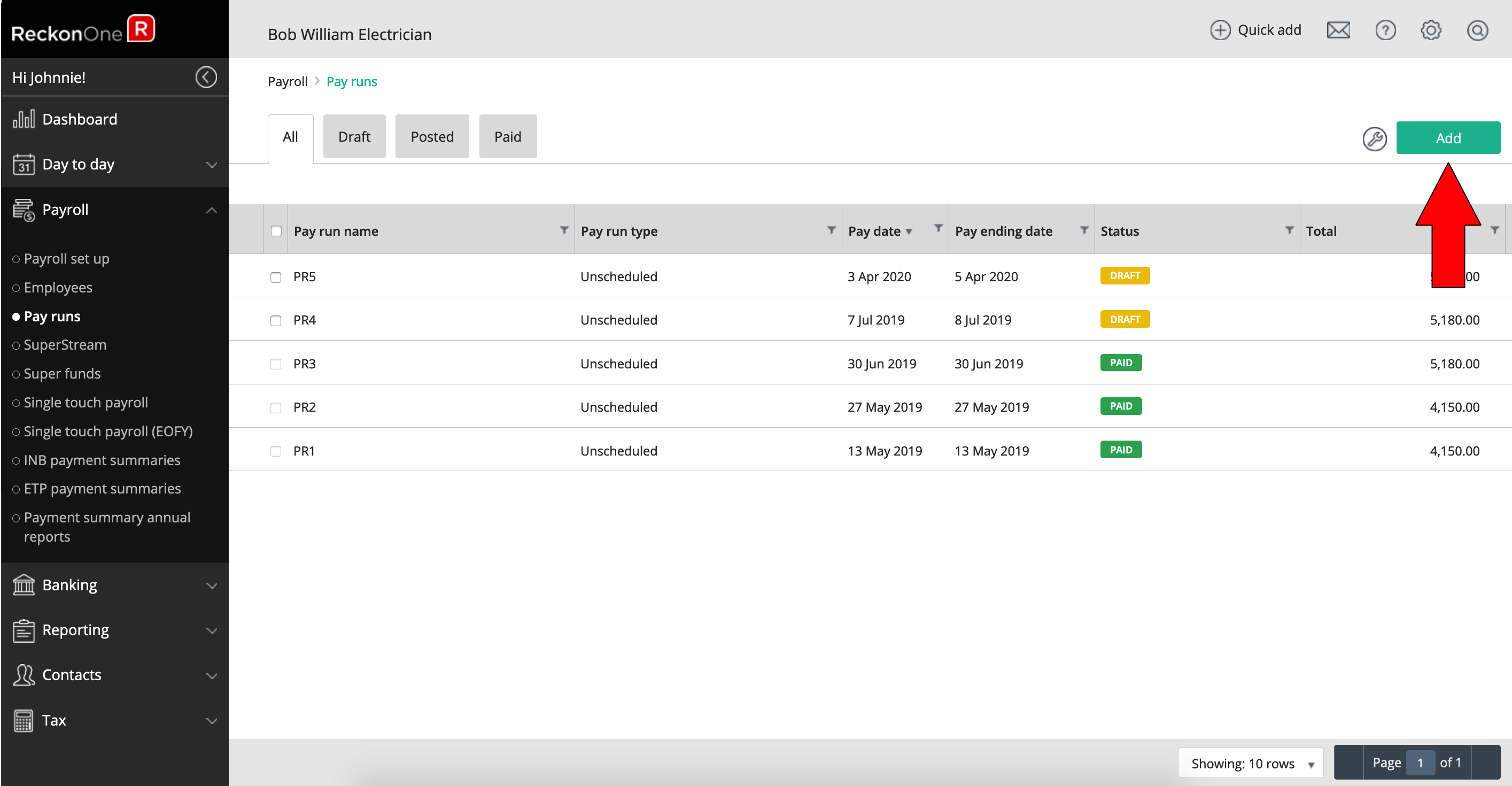
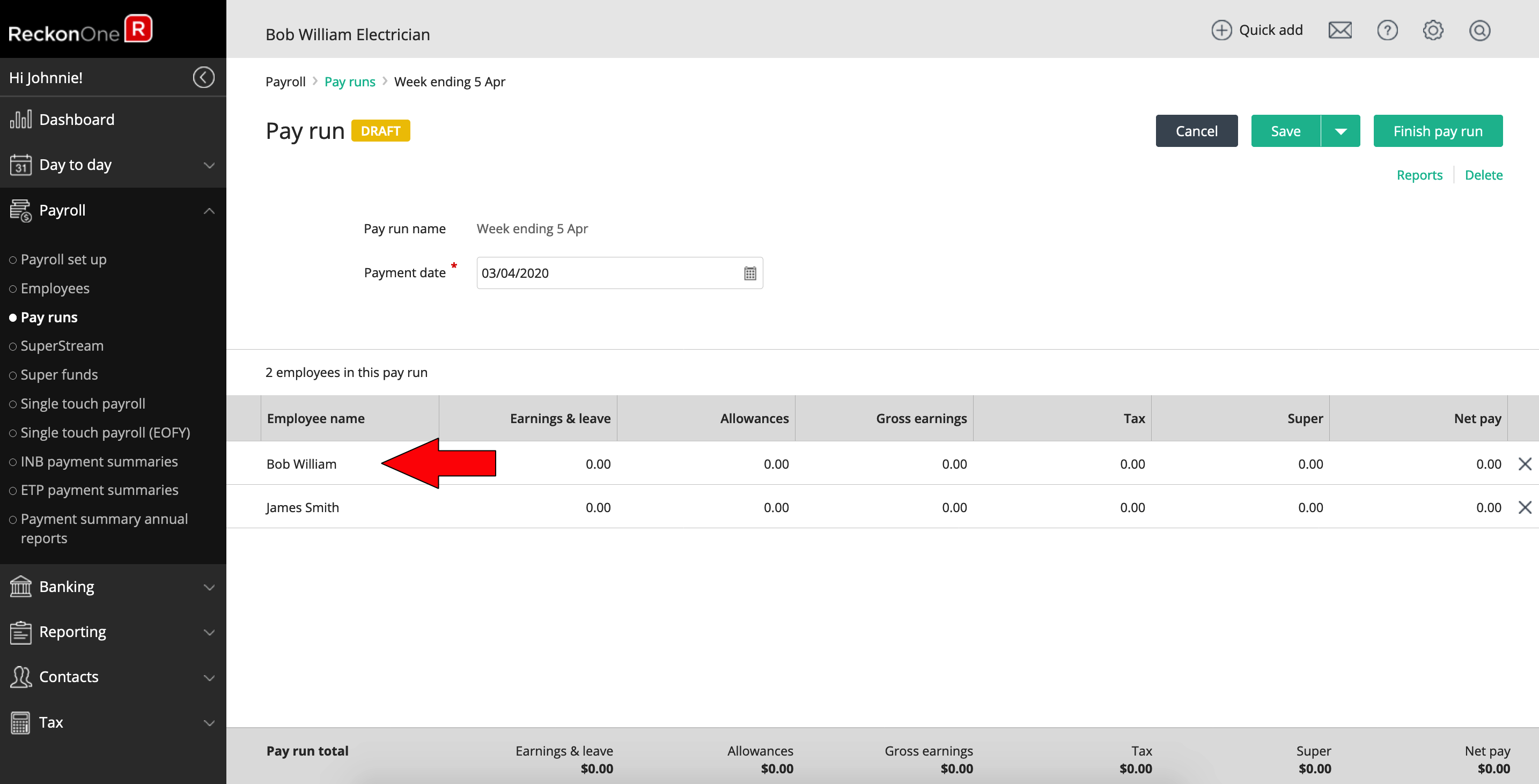
Go to Payroll > Pay runs from the side navigation and click Add.
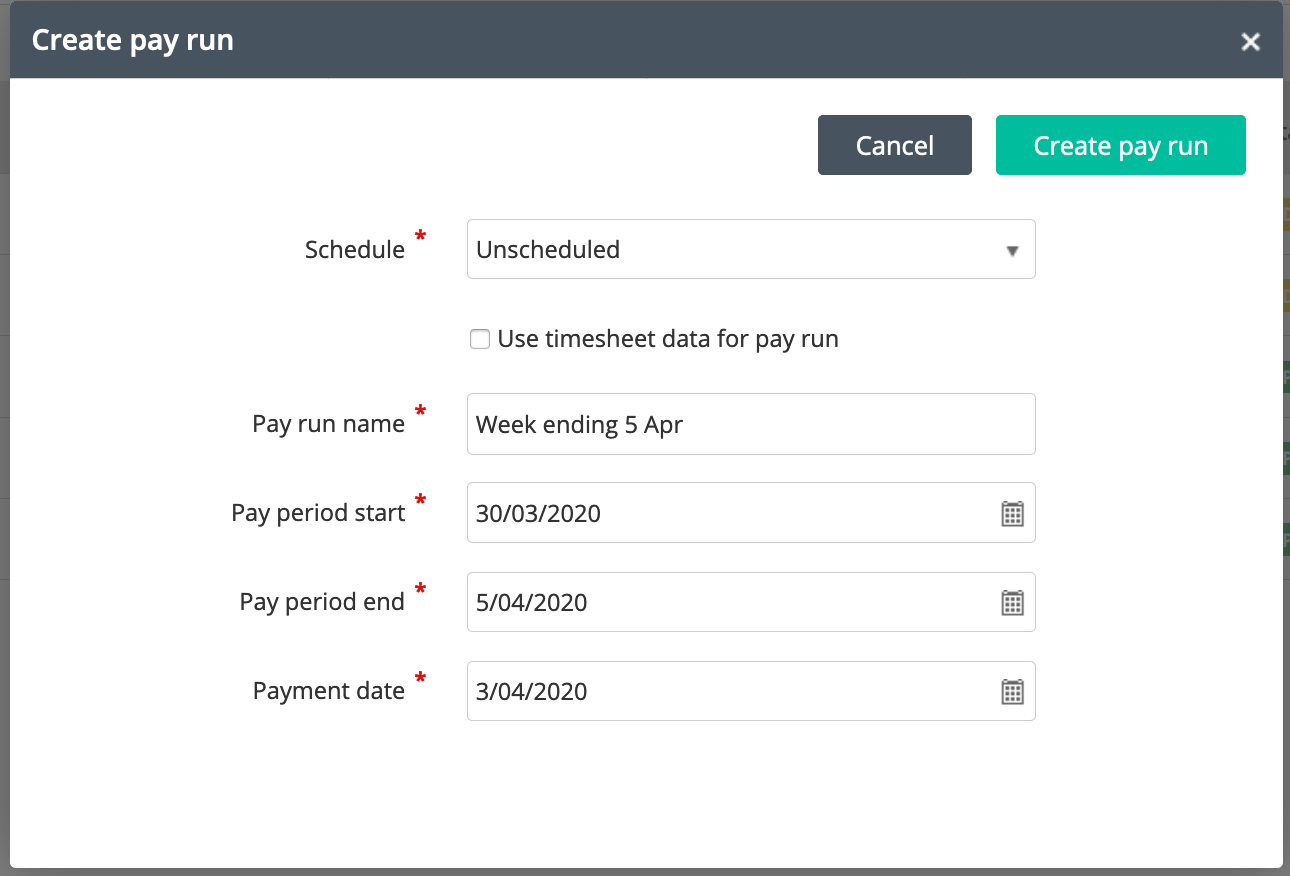
Enter your pay run details and click Create pay run.
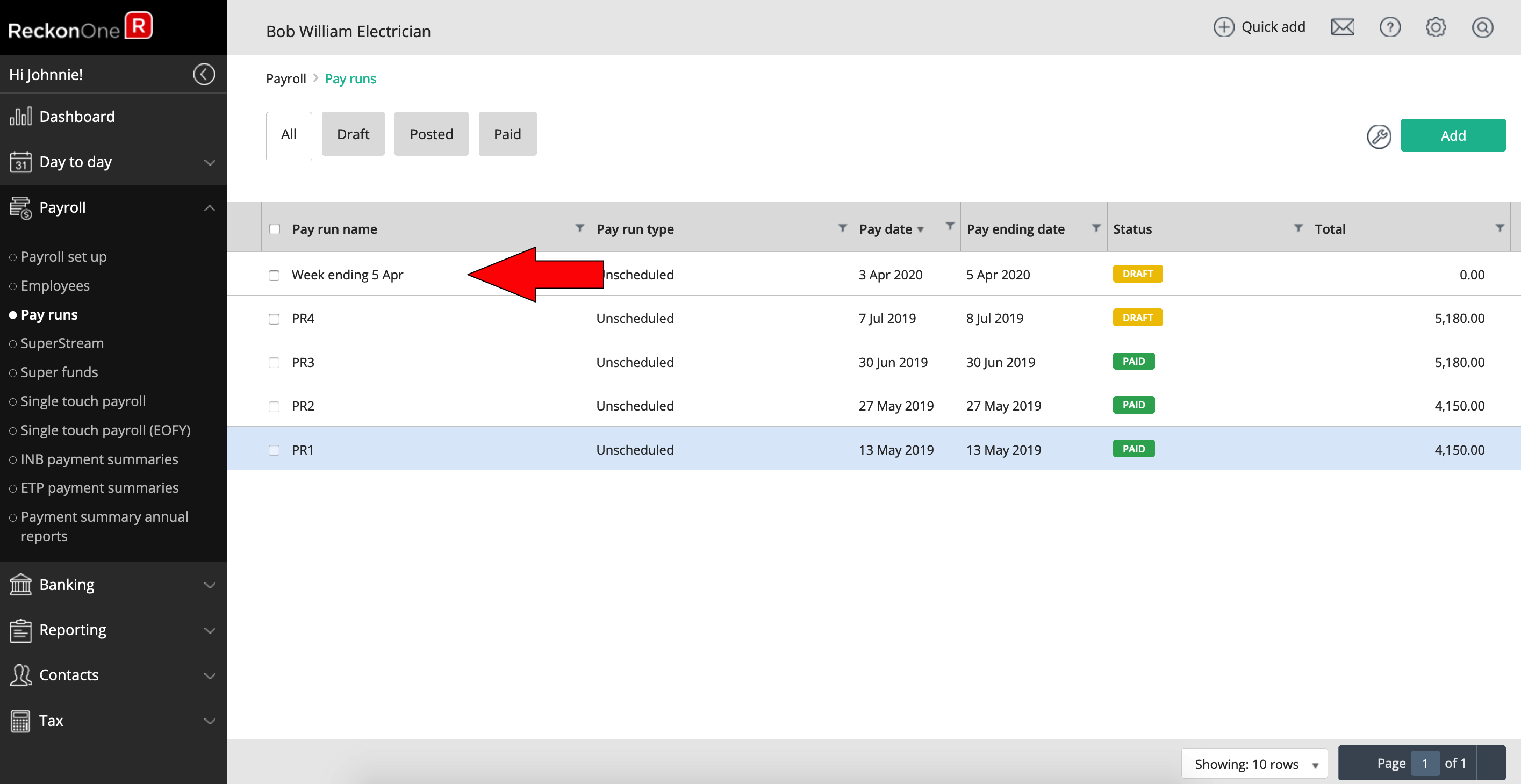
Click on the pay run from pay run list.
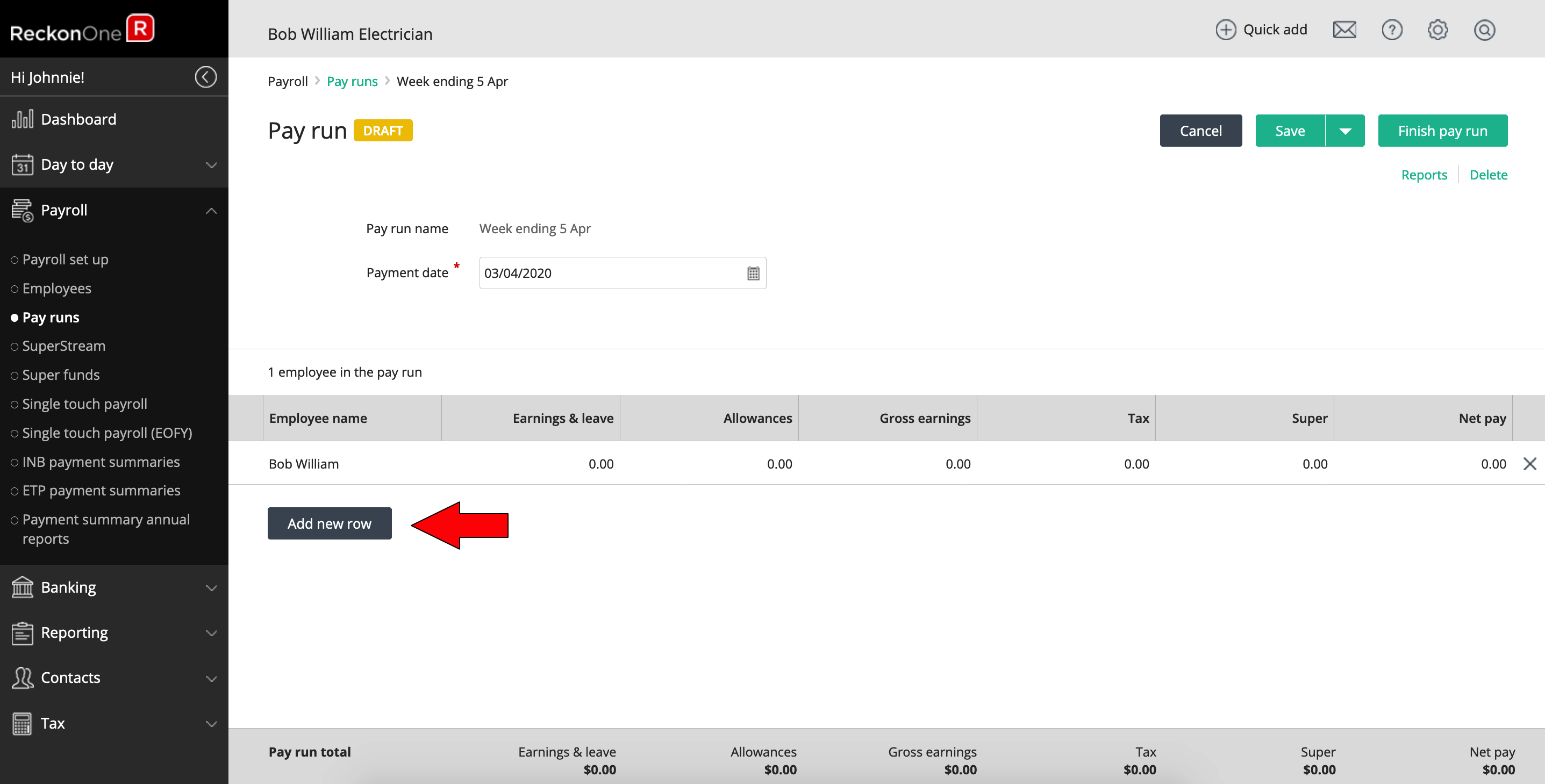
Click Add new row to add an employee to the pay run.
Save the pay run after you have added an employee. The "Load employee default pay items" light box will appear if it is an unscheduled pay run. Click on the employee name to open the employee pay run details.
JobKeeper start
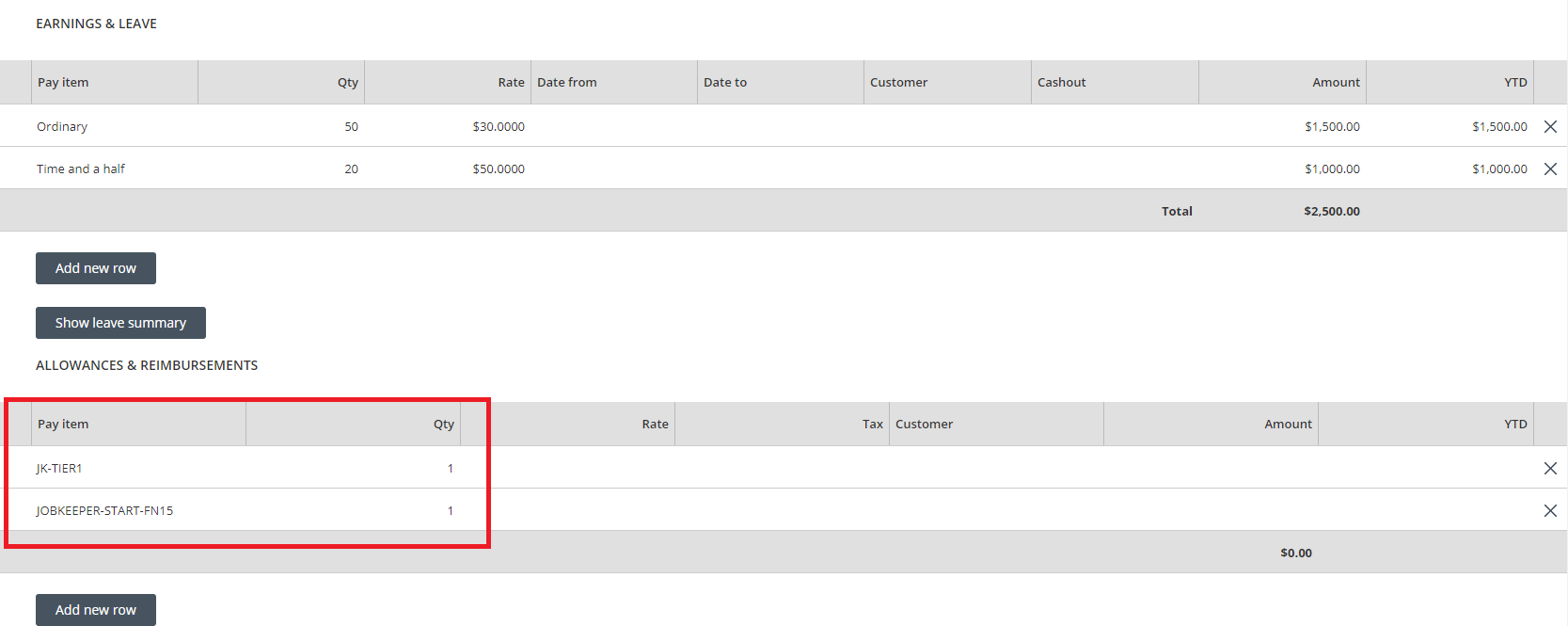
Under the Allowance & Reimbursements section, select the "JOBKEEPER-START-FNXX" or "JK-ST-FNXX" allowance item if the pay run is the first JobKeeper payment reporting period for the employee. The "JOBKEEPER-START-FNXX" or "JK-START-FNXX" amount must be 0.00 (nil). "
The "JOBKEEPER-START-FNXX" or "JK-START-FNXX" allowance item is only used once to notify ATO that this is the first JobKeeper reporting start period for the employee.
JobKeeper tiers
Under the Allowance & Reimbursement section, select the "JK-TIERX" allowance item. The "JK-TIERX" amount must be 0.00 (nil).
The "JK-TIERX" allowance item is only used once to notify the ATO that this is the payment tier the employee has been determined by the business to fall into.
In this example the employee is starting in Fortnight 15 and falls into Tier 1
Top Up for active employees
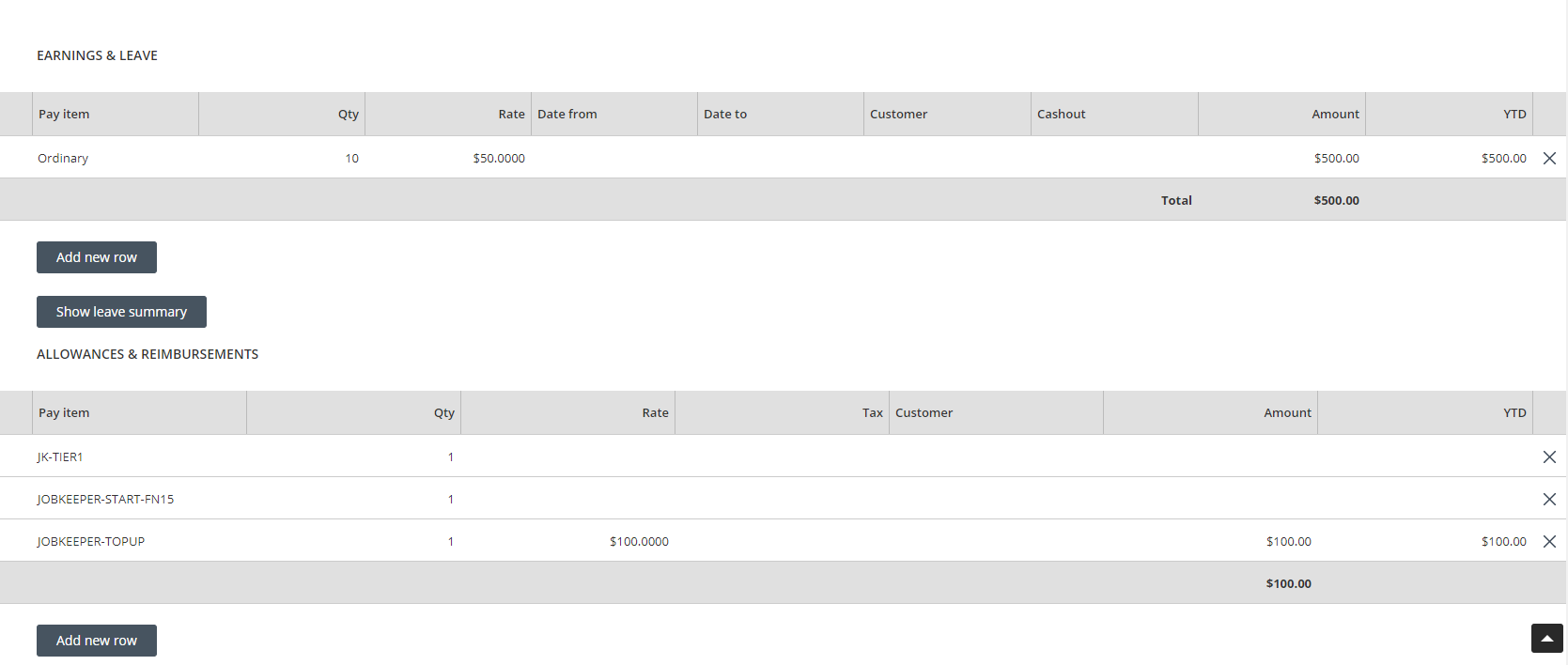
The Federal Government guarantees a minimum wage of $1,200 per fortnight for Tier 1 employees ($600 weekly or $2400 for 4 weeks) for JobKeeper, therefore a top up allowance item is used to increase the employee's gross wage to this minimum guarantee.
In the sample weekly pay run below, the pay date is 15 October 2020 which falls in the FN15 (12/10/2020 - 25/10/2020) period. The JOBKEEPER-START-FN15 or allowance item is created and used on the first JobKeeper payment. If you want to use JK-ST-FNXX instead, you would select the JK-ST-FN15 item you have created.
Add a new row and select JOBKEEPER-TOPUP allowance item.
In this example, the employee is a Tier 1 employee and the employee is paid for his ordinary gross wages ($500). The JOBKEEPER-TOPUP allowance amount will therefore be $100.00 ($600 - $500).
For subsequent pay runs after the first JobKeeper payment is reported, you will only need to use the JOBKEEPER-TOPUP to report the top up gross amount.
Top Up for a closed business
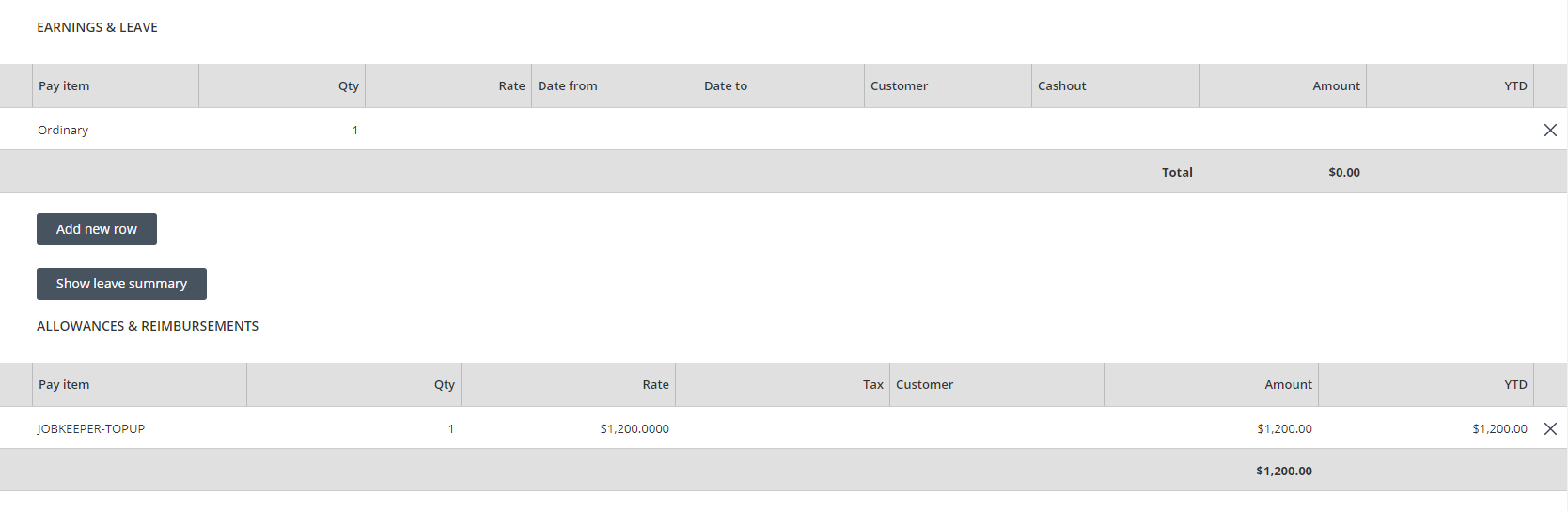
In the weekly pay run example below, this Tier 1 employee has not been paid his ordinary wage as the business has closed during the COVID-19 pandemic. The JOBKEEPER-TOPUP allowance gross amount will therefore be $600 ($1,200 / 2).
nb. If the employee was normally paid every 4 weeks the payment would be $2,400 ($1,200 x 2).
JobKeeper finish
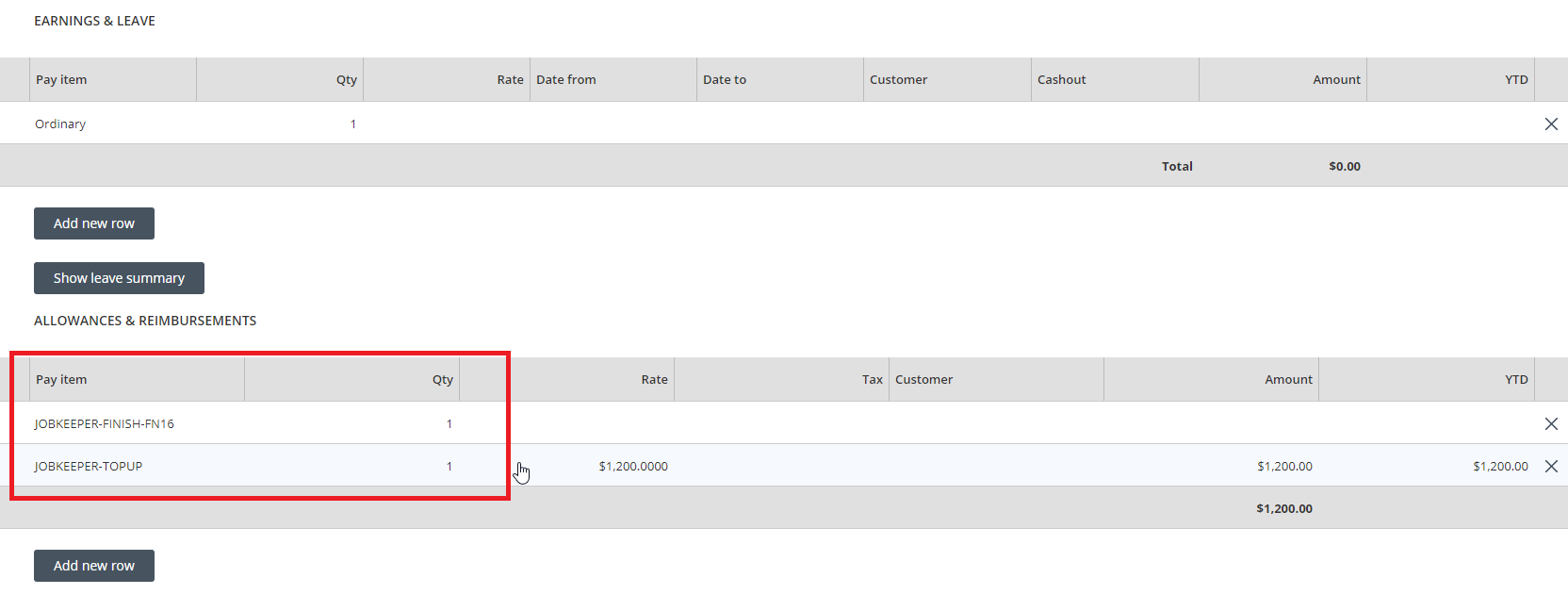
The JOBKEEPER-FINISH-FNXX or JK-FI-FNXX allowance item is used on a pay run to inform ATO when the employee is no longer eligible for JobKeeper payments. The "JOBKEEPER-FINISH-FNXX" or "JK-FI-FNXX" amount must be 0.00 (nil). The "JOBKEEPER-FINISH-FNXX" or "JK-FI-FNXX" allowance item is only used once to notify the ATO that this is the final JobKeeper reporting end period for the employee.
In the sample pay run below, the pay date is 4 November 2020 which falls in FN16 (26/10/2020 - 08/11/2020) period. JOBKEEPER-FINISH-FN16 allowance item is created and used on the last JobKeeper payment.
Pay run submission
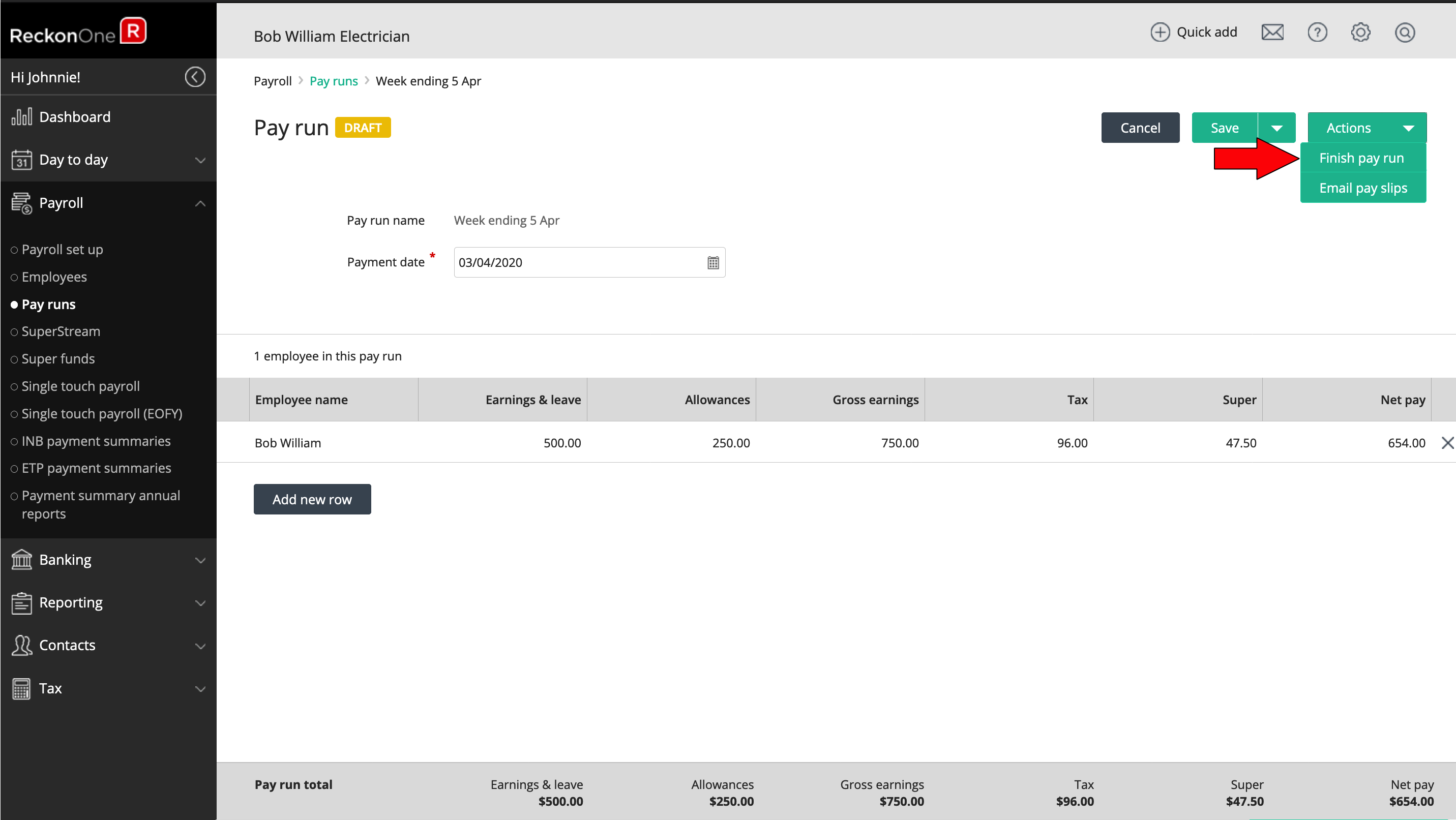
Once all employees for this pay run have been processed, finish the pay run by returning to the pay run detail screen and click Finish pay run.
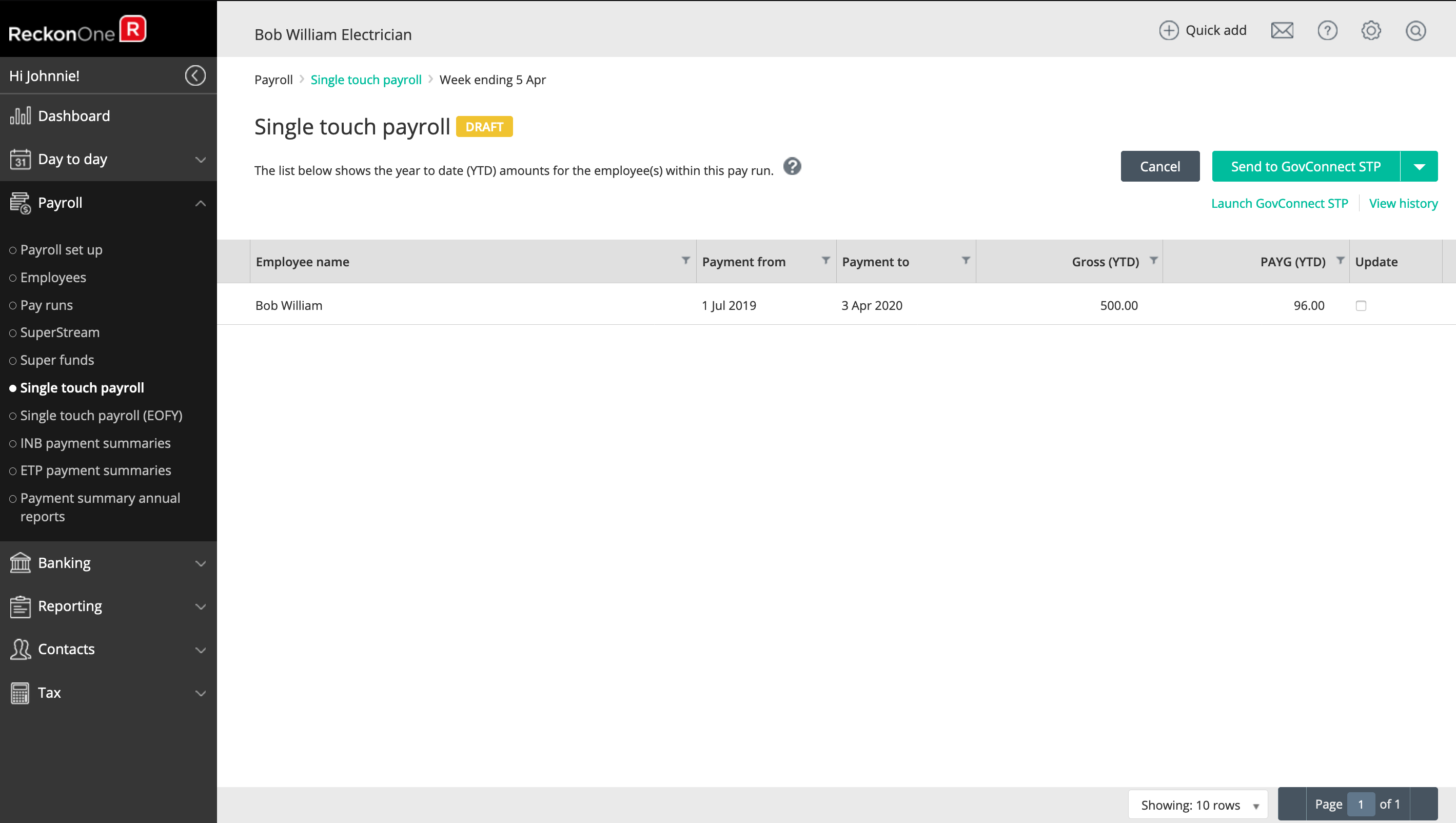
Submit your STP report as per normal. Go to Single touch payroll from the side navigation menu and select the relevant pay run. Click Send to GovConnect STP to submit.
From the Reckon Customer Portal continue to finalise your STP submission via Reckon GovConnect as per usual.
Leave Requirements
For information about leave requirements for employees during JobKeeper please consult the Fairwork Australia website.
If after consulting the website you are required to accrue leave on an employee without them working (ie. the employee has been fully stood down from the business), you may need to change their leave accruals to handle this. To determine whether you should be doing this, it is best to speak to your bookkeeper or accountant first for advice.
The below information is general in nature and should not necessarily be relied upon for every businesses circumstance. For stood down employee whose accural period is set to per pay and receive the JobKeeper payments, you do not need to modify on employee record. Change the pay earning items quantity and amount to $0.00 when processing their pay run.
For stood down employee whose accrual period is set to per time worked and receive the JobKeeper payments
- Go to the Employee list from the side navigation menu.
- Click on the employee name to open the record.
- Navigate to the Leave tab on the top.
- Change Annual leave accrual period from Per time worked to Per pay.
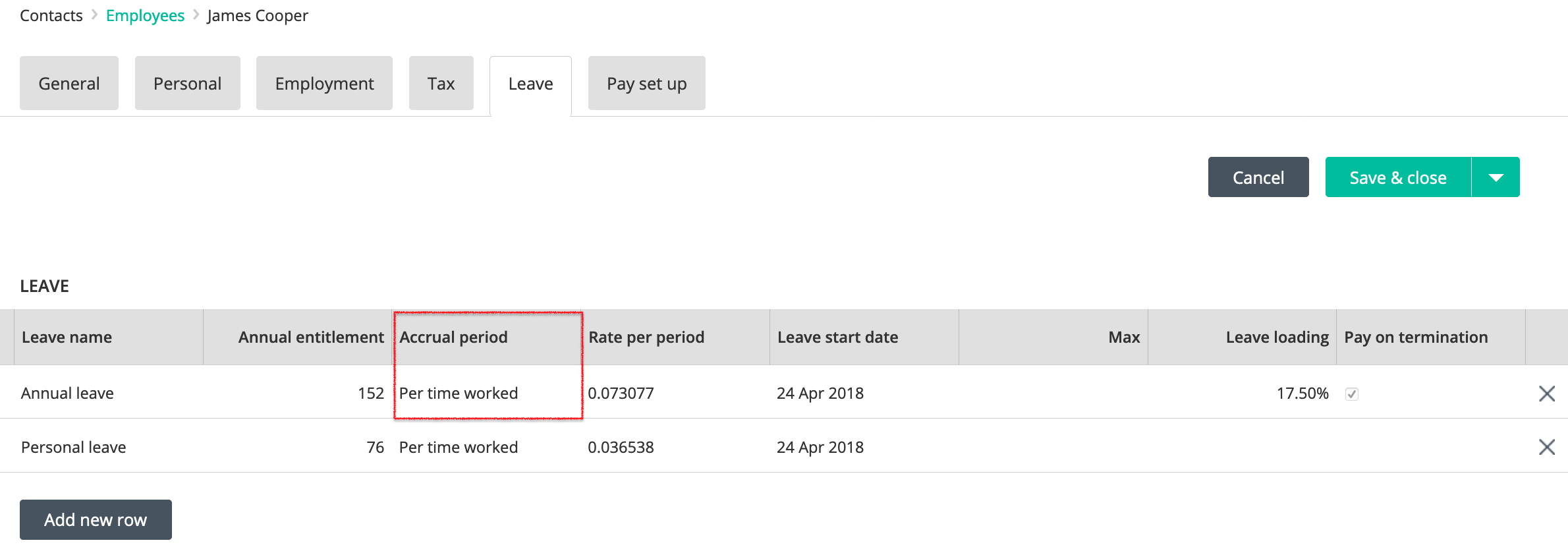
- Click Save & close save the employee record.
The employee is now set to accure leave on the next pay run.
Need more help?
Ask the Reckon Community at: https://community.reckon.com/categories/reckonone
Or Log a Support Ticket: https://www.reckon.com/au/support/
