Add employee expenses to an invoice in Reckon One
Learn how to add billable expense claims into an invoice as you're creating it in Reckon One.
This feature is available on all accounting and Reckon Ultimate plans.
Add expenses to an invoice
- Click on the Quick add menu in the top right corner, then select Invoice, or:
- Go to Day to Day (Money in section), then select Invoices
- Click on Add.
If there are expense claims for this customer, you will see a blue box that will prompt you to review and add them to invoice.

- Click on Review and add to invoice.
- Select the expenses to add to the invoice.
- (Optional) To have multiple expenses combined into a single entry on the final invoice, click Options, then select the Group selected expenses on the customer invoice checkbox.
The Net expense markup feature allows you to add a percentage increase to the original expense amount when charging it back to a customer. This is useful if you want to recover additional costs such as administration fees or include a profit margin on reimbursable expenses.
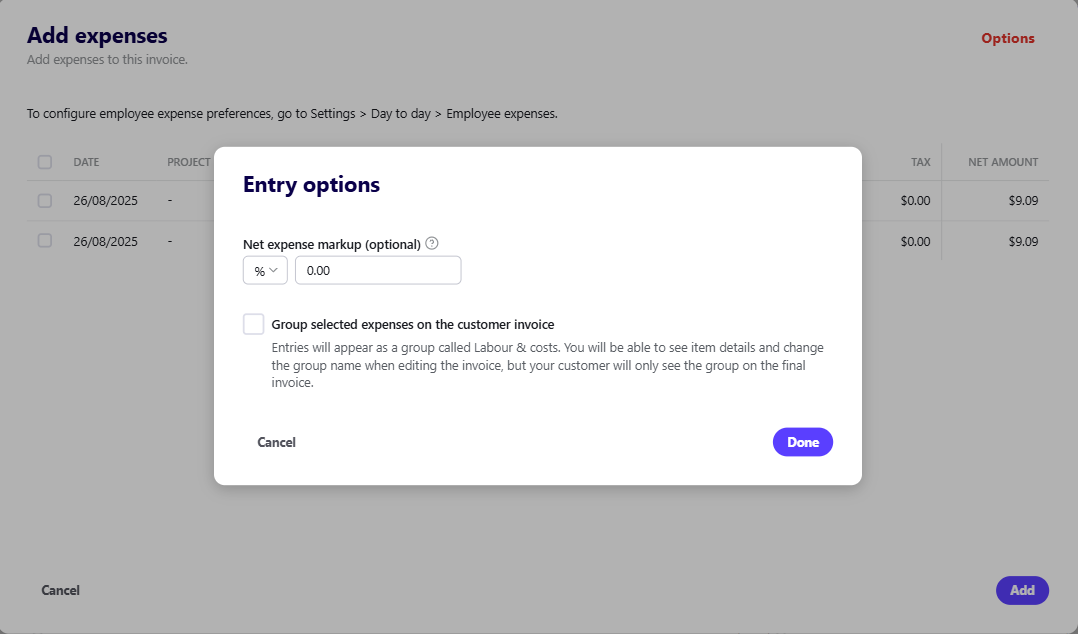
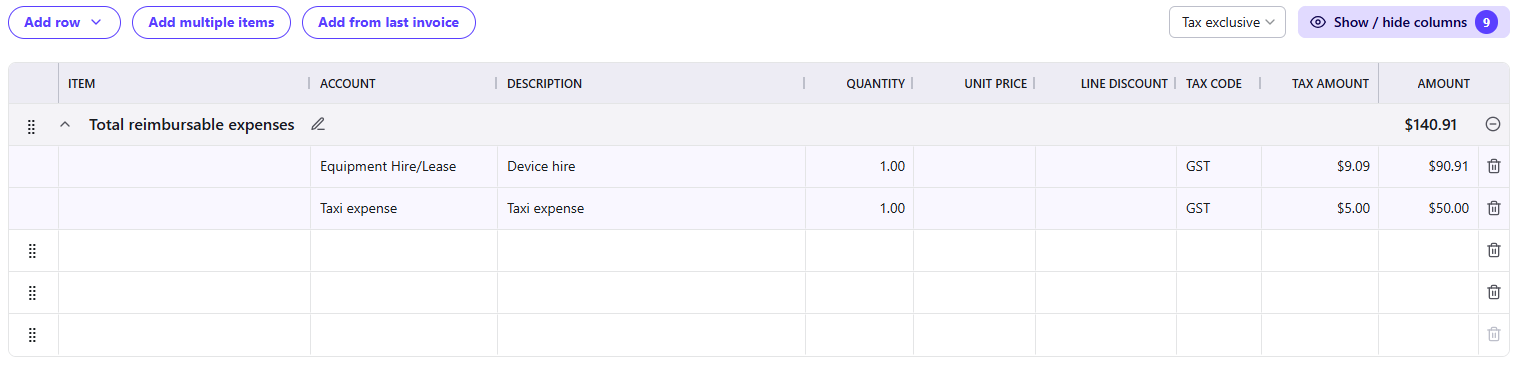
- You will be able to see item details and change the group name when editing the invoice, but your customer will not see individual items, only the group.
Read more
- Learn how to add timesheet data to an invoice
