Change your Reckon One book name
Learn how to change the name of your Reckon One Book.
Change your Reckon One book name
- Sign in to the Reckon Customer Portal, or if you are in the Reckon One book, click on the arrow next to your book name (top left) and select Manage subscription in Portal.
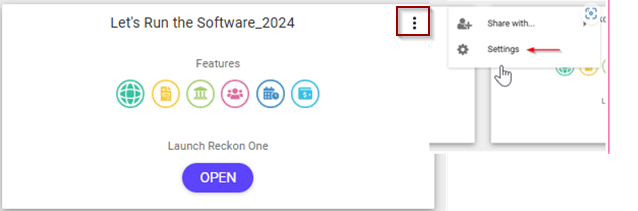
- Click on the three vertical dots on the top right corner of the tile for the relevant Reckon One book.
- Click Settings.
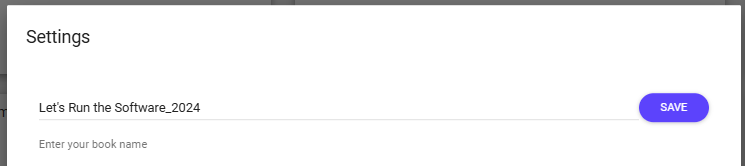
- Click on Change your book name.
- Edit the book name.
- Click on Save.
Read more
- Learn how to adjust other book settings
Need more help?
Ask the Reckon Community at: https://community.reckon.com/categories/reckonone
Or Log a Support Ticket: https://www.reckon.com/au/support/
