Table of Contents
Resolving US Date format issues in My Files on the New Reckon Accounts Hosted Platform
Issue
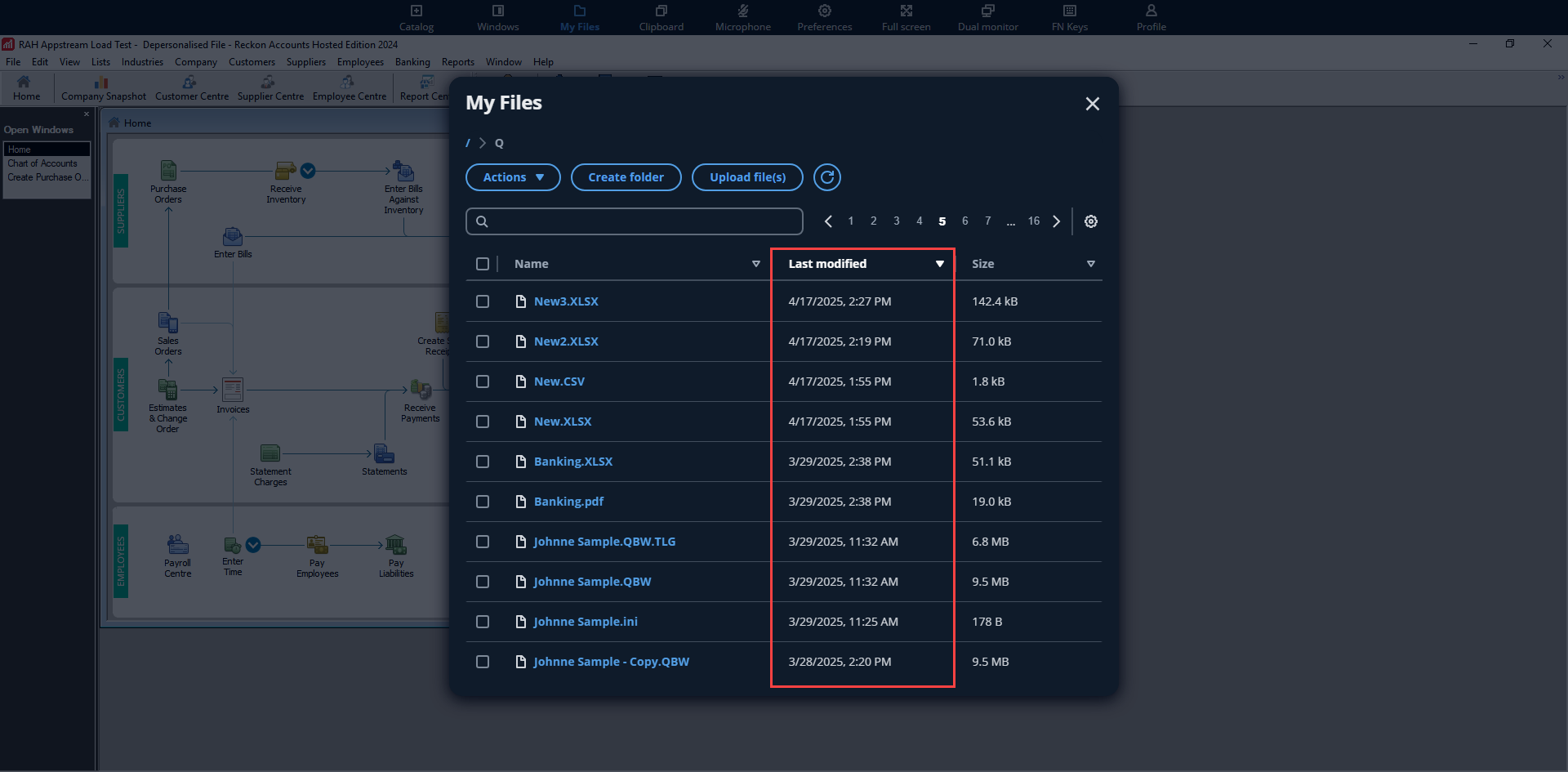
In Google Chrome, some users may see dates in My Files > Last Modified displayed in the American format (MM/DD/YYYY) instead of the Australian format (DD/MM/YYYY).
This issue is usually caused by Chrome’s preferred language settings.
Cause
Chrome uses the preferred language setting to determine how to display certain elements, including date formats and other regional formats.. If this is set to American English (English (United States)), Chrome may show dates in the US format, even if your Windows system is set to Australian settings.
Workaround
Option 1: Set Chrome's Preferred Language to a Region using DD/MM/YYYY
- Open Google Chrome.
- Click the three-dot menu (⋮) in the top-right corner.
- Go to Settings > Languages.
- Under Preferred languages, make sure:
- Ensure that your preferred regional English option is at the top of the list. The following options uses the DD/MM/YYYY date format:
- English (Australia)
- English (New Zealand)
- English (United Kingdom)
- Click the three-dot (⋮) next to it and select "Display Chrome in this language".
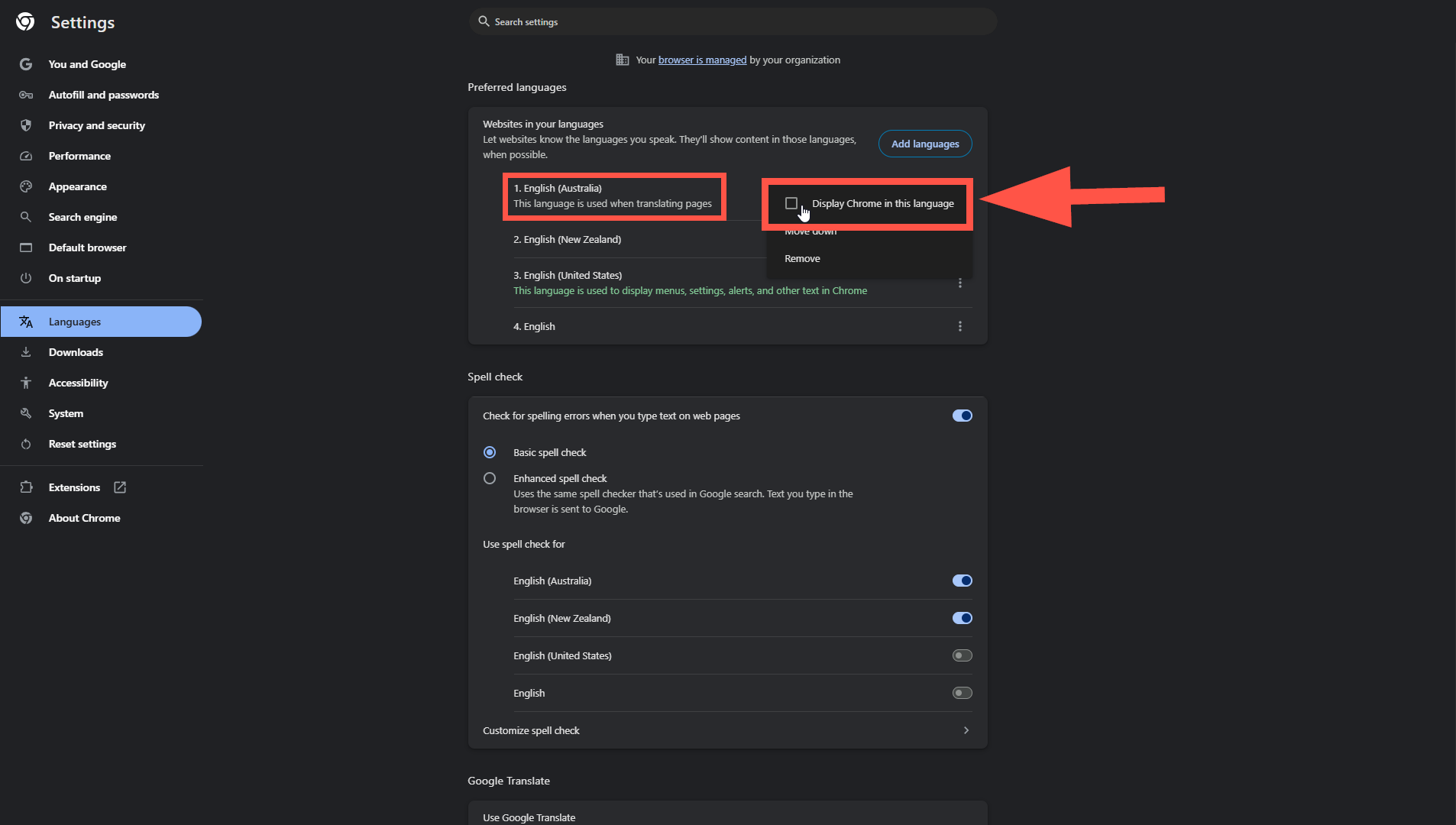
- Ensure that your preferred regional English option is at the top of the list. The following options uses the DD/MM/YYYY date format:
- If it is not listed:
- Click Add languages, search for it, and add it.
- Click the three dots next to it and select "Move to the top".
- Restart Chrome.
Option 2: Check and Correct Windows System Locale
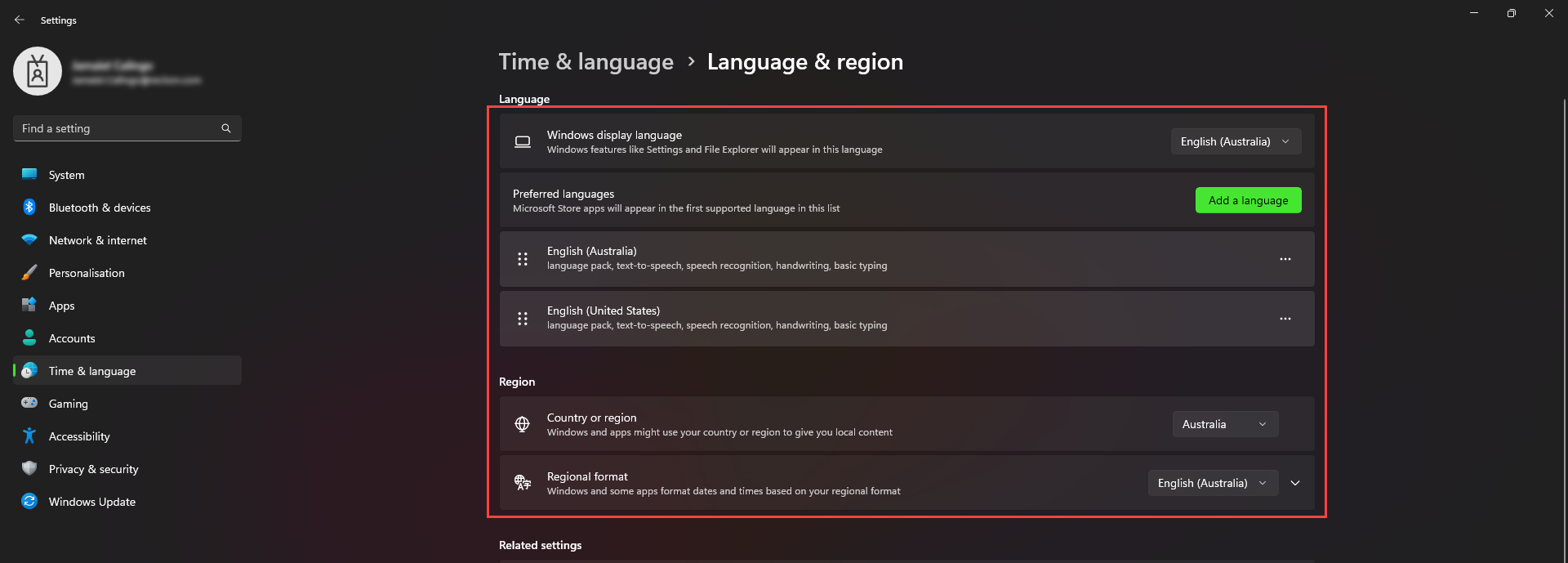
- Open Settings > Time & Language > Language & region.
- Ensure that the Language and Region are set to Australia or English (Australia)
- Restart your computer.
- Open Chrome and confirm that your preferred regional English option is the top language.
- If not, follow the steps in Option 1.
Domain-Joined Workstations
If you're on a domain-joined machine, your language and region settings may be enforced by Group Policy.
In this case, you may not be able to change the settings yourself.
Please contact your IT administrator or Domain Admin to investigate and apply the correct locale settings for your workstation.
If you're on a domain-joined machine, your language and region settings may be enforced by Group Policy.
In this case, you may not be able to change the settings yourself.
Please contact your IT administrator or Domain Admin to investigate and apply the correct locale settings for your workstation.
