How do I download my backup QBB, portable QBM or company data files QBW from my Reckon Accounts Hosted account?
Question
How do I download to my local PC, my backup files, portable files and company data files from my Reckon Accounts Hosted account?
Answer
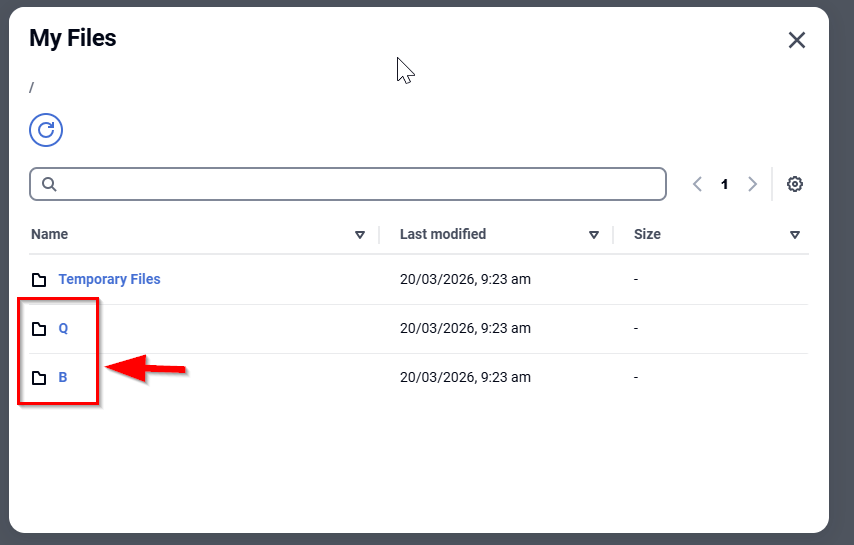
Reckon Accounts Hosted is designed to store your data files in its own cloud drive called Q or B drive.
- company data files (.QBW) are typically in the Q folder
- backup and portable files are normally stored in the B folder
You can download your Reckon Accounts files from your Hosted account using the My Files function.
Video:
Downloading & uploading files in Reckon Accounts Hosted ⬇️⬆️ - Reckon Community
Downloading the file(s):
1) Once logged into Reckon Accounts Hosted, click on the My Files button on the toolbar as shown above.
2) Click on the Q or B drive/folder
3) You will see the list of files and folders
4) To help find the file(s) you want to download you can click the Last modified column header to sort the files oldest to newest or vice versa.
5) Navigate to the file you wish to download and click on it to start the download.
(company data files have a file extension of .QBW, backup files have a .QBB extension, while portable files have a .QBM extension)
6) Repeat steps 4-4 for each QBB or QBM file you want to download.

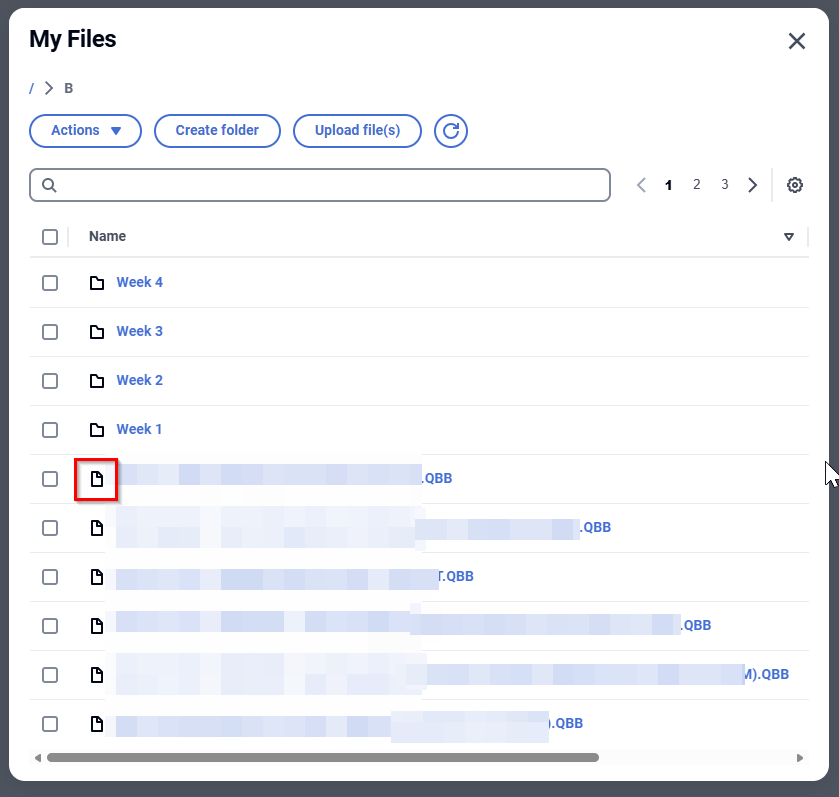
Example above shows .QBB files in the B folder.
2. Remember to use the 'Complete verification' option for your backups. This is one way to be confident your backup can be restored to an uncorrupted state.
Also see:
Reckon Accounts Hosted - Best Practices
How to improve performance by resetting the TLG file
Reckon Accounts is Frozen or Not Responding When Performing a Backup
Alternative backup options for a large data file on the Reckon Accounts Hosted platform
Need more help?
Ask the Reckon Community at: https://community.reckon.com/categories/accountshosted
Or Log a Support Ticket: https://www.reckon.com/au/support/
