Table of Contents
Share your Reckon One book
Learn how to share your Reckon One book with others, including Reckon Accredited Partners, so they can view or work on your records. Sharing the book means that you're giving another person access to the contents of the book (and you can choose which level of access they have), but they won't have access to your subscription or billing information.
Share with another person
You can share your book with another person, such as a colleague or a bookkeeper or accountant who's not a Reckon Accredited Partner, so you can work on it together.
Before you start
Before you share your book:
- the person you're sharing with needs to have created a Reckon account.
- you need to have their email address or username that the person used to create the account
Share your book
- First, log in to Reckon One and go to the Reckon Customer Portal.
- If you have more than one Reckon One book, when you log in, you'll automatically land in the Reckon Customer Portal.
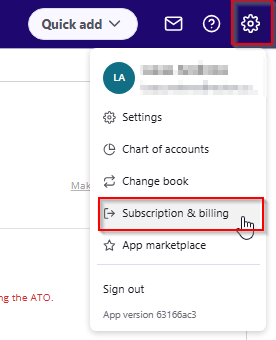
- If you only have one book, or are already logged into your book, go to the Administrations menu (cogwheel icon in the top right-hand corner) and select Subscription & billing.
- Click on the ellipses menu (3 dots) in the top right corner of the book you want to share. From this menu, select Share with...
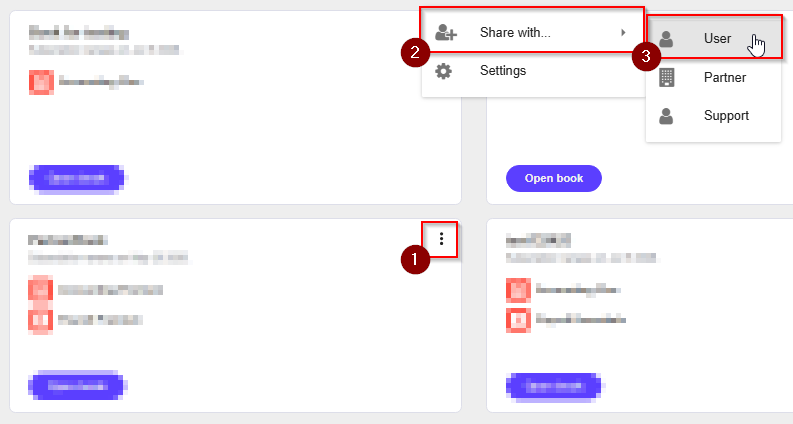
- Select User.
- Enter the email address or username of the person you wish to share the book with.
- Click Next.
- Assign the role you wish the person to have within the book. You can always adjust this later if needed. If you want the person to be able to submit single touch payroll (STP), select either Administrator, or if you have an accounting and payroll plan, select Payroll Administrator.
- Click Save.
Share with a Reckon Accredited Partner
A Reckon partner will have full access to your book and be able to share the book directly to technical support on your behalf, if required.
Before you start
Before you share your book with a partner, you will need:
- their Reckon Partner ID or their email or username associated with their Reckon account
- the name of their company
Share your book
To share with a Reckon Accredited Partner:
- First, log in to Reckon One and go to the Reckon Customer Portal.
- If you have more than one Reckon One book, when you log in, you'll automatically land in the Reckon Customer Portal.
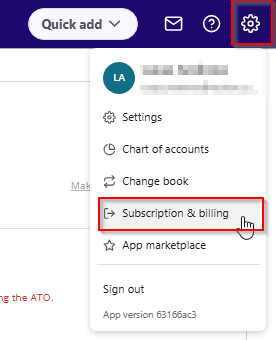
- If you only have one book, or are already logged into your book, go to the Administration menu (cogwheel icon in the top right-hand corner) and select Subscription & billing.
- Click on the ellipses menu (3 dots) in the top right corner of the book you want to share. From this menu, select Share with...
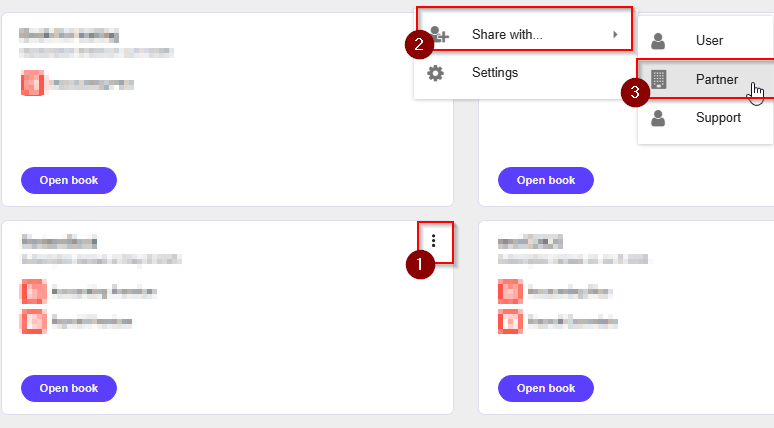
- Select Partner.
- Enter the partner's email or username associated with their account, or their Partner ID, then select the Partner's company.
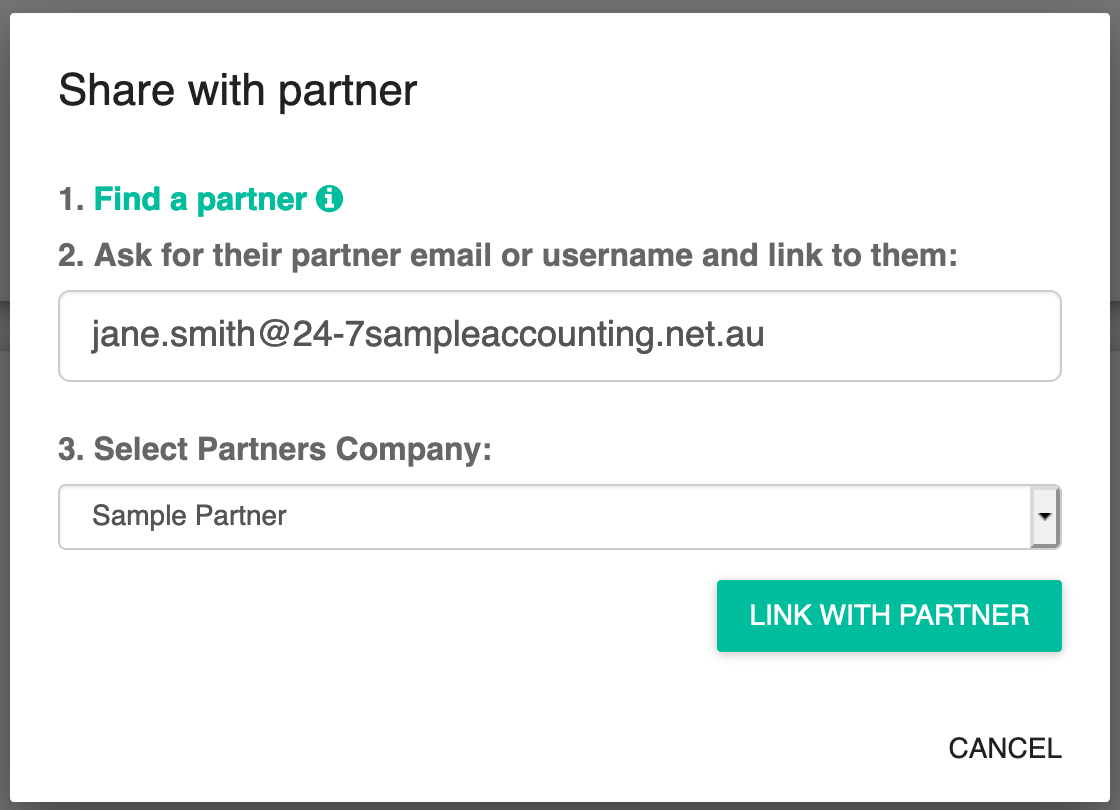
- Click Link with partner.
Read more
- Learn how to find your way around Reckon One
