Save Reckon One as a Desktop App Shortcut
Question
How can I create a shortcut to quickly open Reckon One instead of searching for the site each time?
Answer
You can use the “Install page as an app” feature in Google Chrome or Microsoft Edge. This allows Reckon One to open in its own window like a desktop application, without needing to open a browser tab each time.
Other browsers may offer similar functionality, but this has only been tested in Google Chrome and Microsoft Edge.
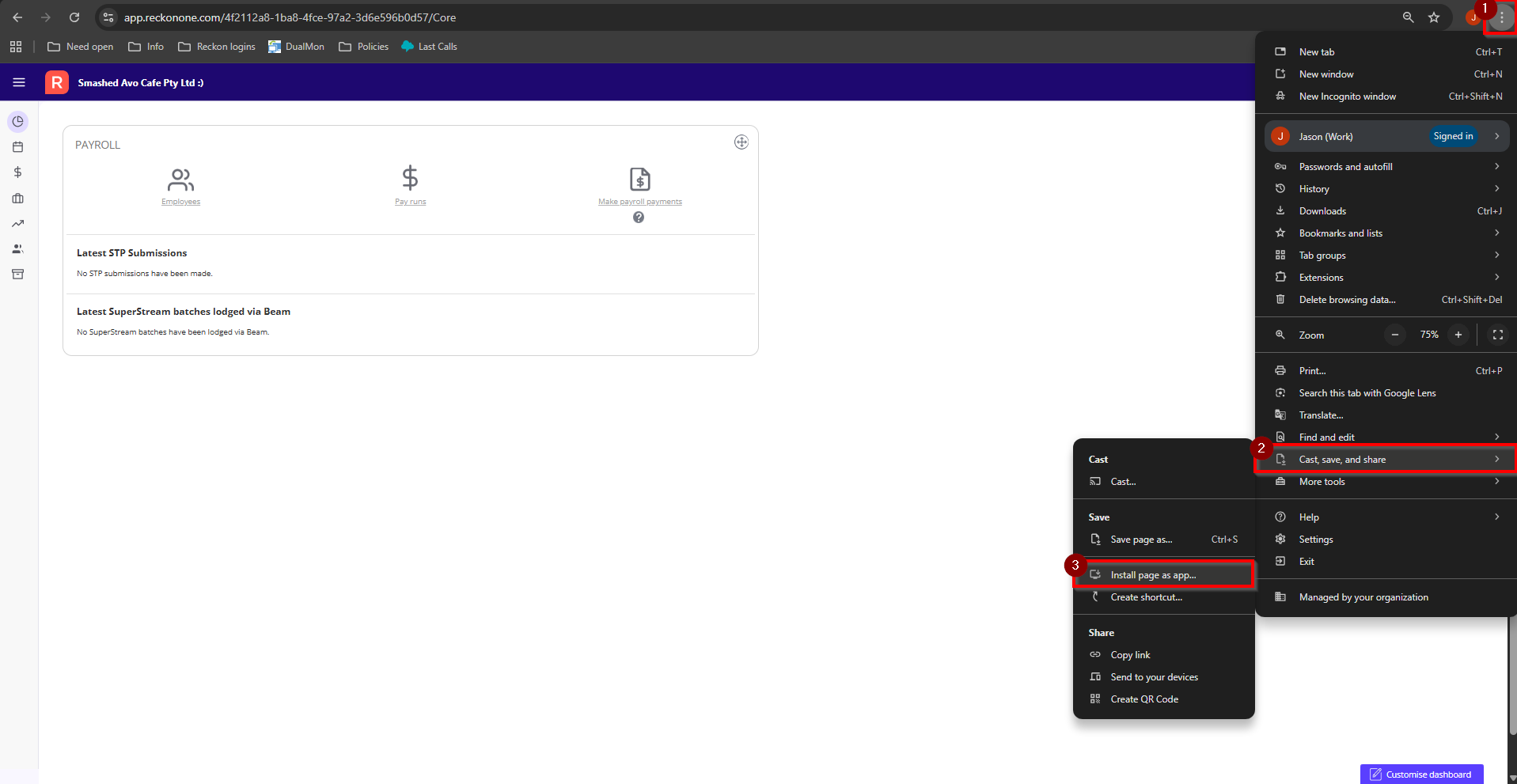
Google Chrome
- Open Chrome and navigate to Reckon One.
- Go into any of your Reckon One books
- Select the More options (⋮) icon in the top-right corner.
- Go to Cast, save and share.
- Select Install page as app.
- If prompted, confirm the name of the app or rename it as required.
Microsoft edge
- Open Edge and navigate to Reckon One.
- Go into any of your Reckon One books
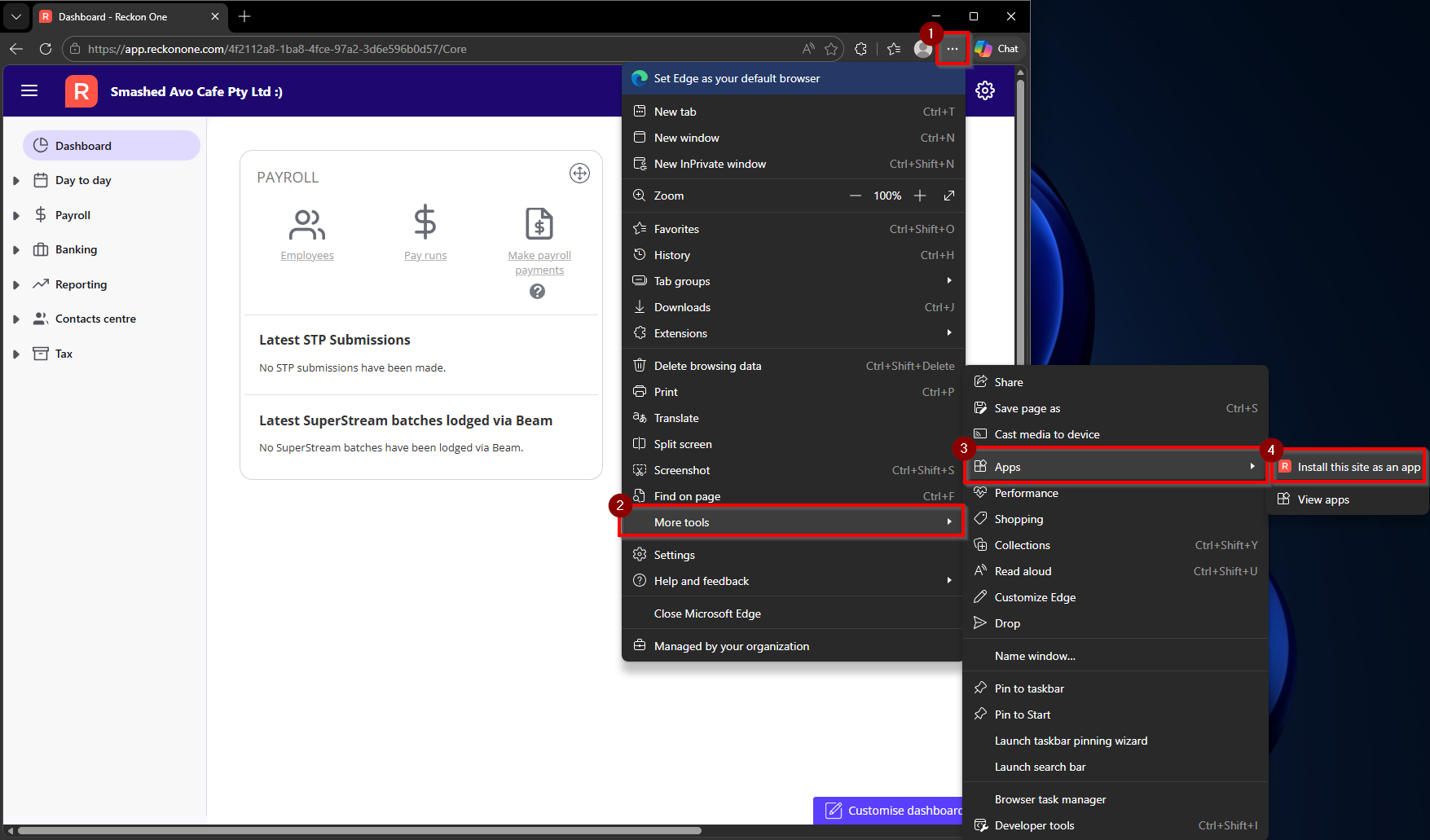
- Select the More options (⋯) icon in the top-right corner.
- Go to More tools.
- Select Apps and Install this site as an app.
- If prompted, confirm the name of the app or rename it as required.
Result
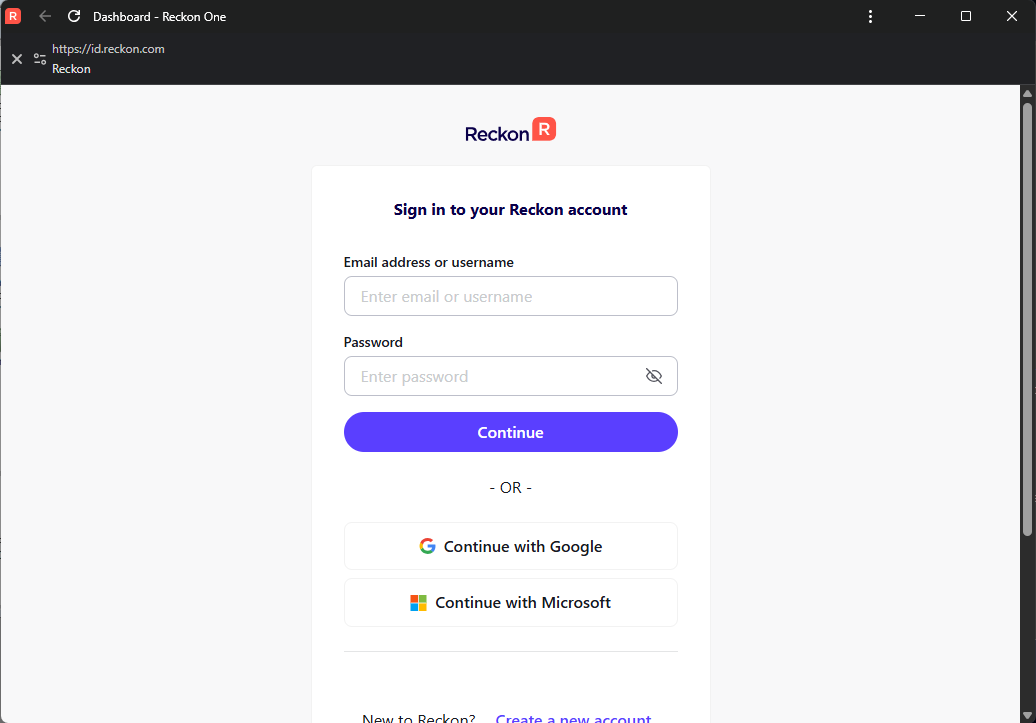
Once installed, Reckon One will open in its own window, just like a desktop app.
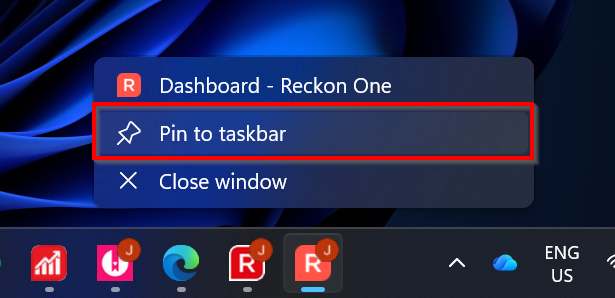
You’ll also get a shortcut on your desktop and in your Start menu, so you can open it quickly without having to search for the website each time. If you want even faster access, you can pin it to your taskbar too