Table of Contents
Allowances calculation methods and STP reporting in Reckon One
Learn about the different tax calculation methods you can choose when setting up allowances items in Reckon One, when to use them and how they'll affect your STP reporting for the item.
Overview
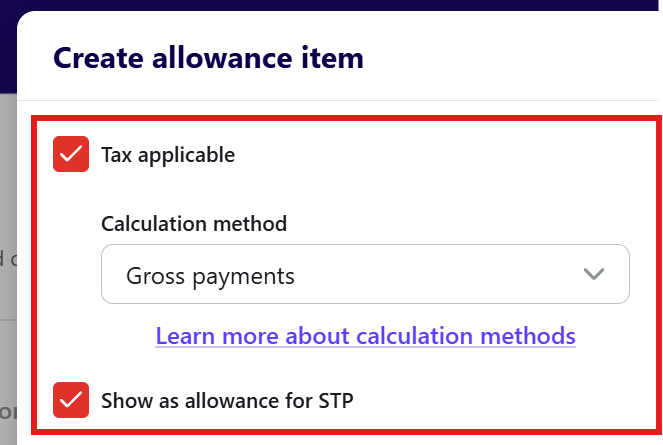
When you set up an allowances item in Reckon One and you select the Tax applicable checkbox, you get the option to choose a calculation method for the tax on that item, and to show (or not show) the allowance for STP. These choices affect not only how the tax is calculated on the item (and what you might need to do when processing it through a pay run), but also how it's reported to the ATO under STP.
Understand calculation methods and reporting of allowances
This table outlines each calculation method and what it's typically used for. It also outlines how the choice of calculation method will affect STP reporting, if the Show as allowance for STP checkbox is selected.
Calculation method | Typically used for | STP reporting category for allowances items, if the 'Show as allowance for STP' checkbox is selected |
Tax free | Non-taxed items. An alternative would be to leave the Tax applicable checkbox unselected when you create the item. | Not reported |
Gross payments | Ordinary payments for the current pay period. | Depends on the allowance type - see table below. |
Additional payment method A | For paying an employee an additional payment such as a back payment, where the ATO’s rules for that payment type specify Additional Payment Method A. The purpose is to calculate the additional PAYG withholding while taking the employee’s normal earnings into account, rather than treating the additional payment as if it were ordinary wages on its own. Learn more about this method from the ATO. | Depends on the allowance type - see table below. |
Additional payment method B (i) | When an employee receives a back payment that relates to specific pay periods within the current financial year. Learn more about this method from the ATO. | Depends on the allowance type - see table below. |
Additional payment method B (ii) | For back payments relating to a previous financial year, or for additional payments that don't relate to a single pay period. Learn more about this method from the ATO. | Depends on the allowance type - see table below. |
If Gross payments is the calculation method
If you select Gross payments and the Show as allowance for STP checkbox is selected, the STP reporting category will depend on the type of allowances item:
Allowances type | STP reporting category when Gross payments is the calculation method and the 'Show as allowance for STP' checkbox is selected |
Cents per KM | CD |
Award Transport Payments | AD |
Laundry | LD |
Overtime Meal Allowance | MD |
Travel and Overseas Accommodation | RD |
Tool Allowance | TD |
Tasks | KN |
Qualifications/Certificates | QN |
Other - General | OD - G1 |
Other - home office | OD - H1 |
Other - non-deductible | OD - ND |
Other - transport or fares | OD - T1 |
Other - uniform | OD - U1 |
Other - private vehicle | OD - V1 |
Read more
- Learn about earnings calculation methods and STP reporting in Reckon One
- Learn about payroll reimbursements in Reckon One
