Table of Contents
Set default payroll ledger accounts in Reckon One
Learn how to set default ledger accounts for payroll, so your payroll activities track back to the correct ledger accounts for accurate record-keeping.
This feature is available on all payroll and Reckon Ultimate plans.
How it works
Having a default account means that when you create a new pay item, the default ledger account is pre-populated against that pay item. You can change it, but having the default saves you clicks when creating pay items, and makes sure that every pay item tracks back to a ledger account. This means every payroll transaction will be recorded against a ledger account in your balance sheet and profit and loss.
You can set default ledger accounts for:
- pay items requiring an expense account
- pay items requiring a liabilities account
- company super contributions
- withholding amounts (pay as you go or PAYG withholding)
You can edit the accounts that each pay item uses at any time.
Set default accounts
To set default payroll ledger accounts:
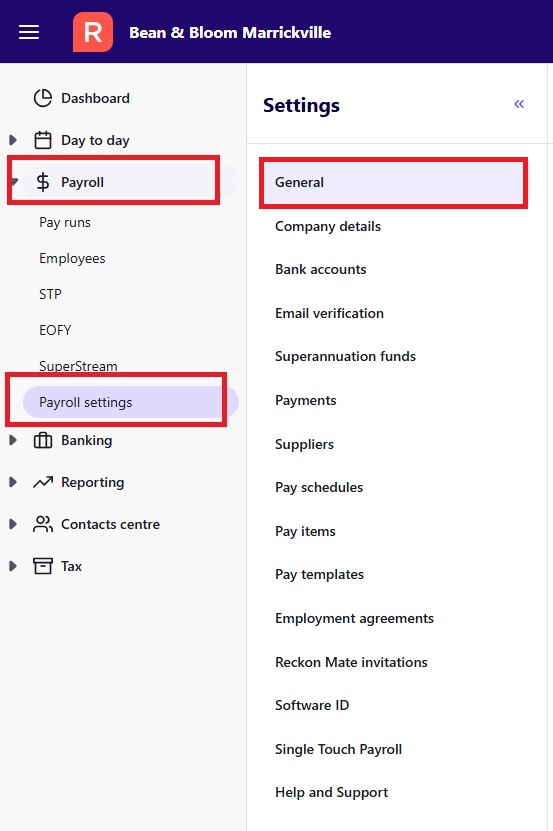
- In the Payroll menu, select Payroll settings, then select General settings.
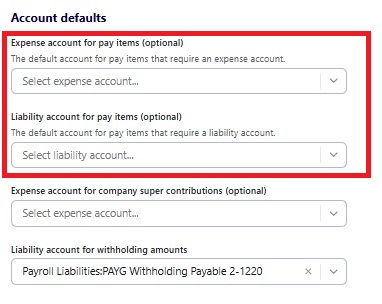
- Set up default Expense account for pay items and Liability account for pay items. Click into the dropdown box and scroll to select an account, or start typing in the box.
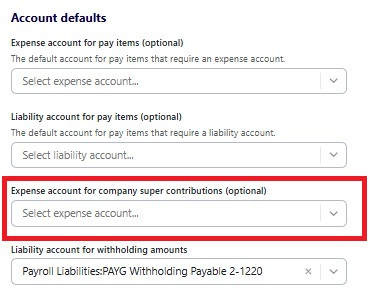
- Set up up a default Expense account for company superannuation contributions. Click into the dropdown box and scroll to select an account, or start typing in the box.
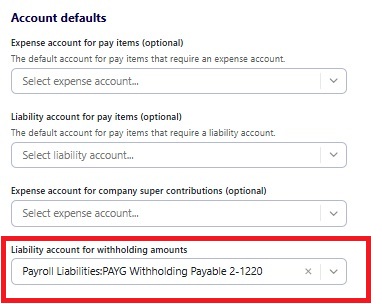
- Check the Liability account for withholding amounts (the liability account that will be used for PAYG withholding). To change the account, click on the cross to deselect the account, then click into the dropdown and scroll or type to find a different account.
- Click Save changes at the bottom of the screen.
Read more
- Learn how to set up default bank accounts for payroll payments
