Connecting to Tide via Open Banking
Connecting to Tide via Yodlee FastLink (Open Banking).
- Choose Add Feed on the top-right-hand side of the Bank Feed Management window.

- Review the information relating to the Open Banking service we offer, then Agree and Continue if you are happy to agree to our terms.
- This will open the Select a Site screen:
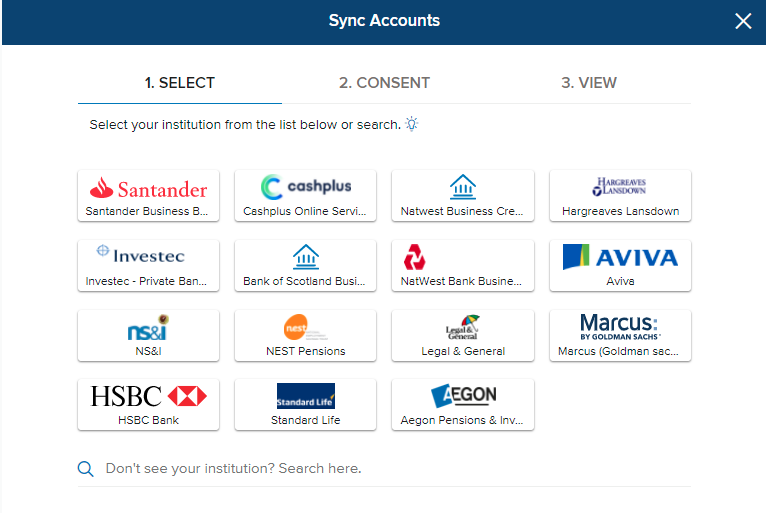
- Go to the 'Search here' option and search for 'Tide Business Bank (Open Banking)'. Choose this option and confirm.
- This will launch a pop up to connect Tide Banking to Reckon One. Follow the on-screen instructions to complete the connection process.
You will need your Tide Banking app to complete the connection process.
- Close the window when prompted.
- Refresh the Bank Feed Management window > you will now see the Tide Banking feed listed.
- Close the Bank Feed Management window.
- Go to Bank Connections.
- You will see your Tide Banking connection listed:

- Choose Link to link your Tide Open Banking feed to a Reckon One bank account.
- Your connection is now complete. Tide Banking transactions will start appearing in Reckon One.
Need more help?
Ask the Reckon Community at: https://community.reckon.com/categories/reckonone
Or
Log a Support Ticket: https://www.reckon.com/au/support/
